Blocking, Dodging, and Surviving Your First Kaiju Alpha Brawls
Learning kaiju alpha how to block is the single fastest way to stop losing fights in the first ten minutes of a match. Every rookie kaiju gets pulled into the city arena, mashed a few buttons, and immediately got stomped by a kaiju that knew how to absorb hits while charging its strongest skill. The good news: the defense system in this Roblox battler is shallow enough for a brand new player to learn in one match, but layered enough that mastering it separates average kaiju from the ones climbing to level 200 and beyond.
This guide breaks down the exact block timing window, the difference between block, parry, and dodge, and the kaiju alpha best beginner strategy for pairing defense with your skill bar. You will also get practical kaiju alpha how to use skills advice, the kaiju alpha best settings to flip on before queuing, and a clear kaiju alpha how to play with friends playbook so your squad stops feeding kills. Every tip below is rooted in the game's actual combat loop, including the five-skill plus two-roar combat bar confirmed by community testing on Update 49, and tested against the free starter kaiju you get on your first spawn.
Understanding the Defense System in Kaiju Alpha
Before you can block anything, you need to know what the game actually lets you do on the defensive side of the combat bar. Kaiju Alpha gives every kaiju a small but well-tuned set of reactive tools, and the way you sequence them decides whether you walk out of a 1v1 with 30 percent health or a fresh kill.
What Block, Dodge, and Roar Actually Do
The defense toolkit in Kaiju Alpha is built around three core actions plus your two roar abilities. Block raises your kaiju's guard for a short window, reducing incoming damage by a large percentage as long as you hold it before the hit lands. Dodge is a short dash that grants brief invulnerability frames, which is the only way to escape a fully charged ultimate. Roar actions both stagger nearby opponents and refill a small chunk of your guard stamina, giving you a built-in panic button when your block bar runs dry.
| Defensive Action | Best Use Case | Stamina Cost | Stagger Effect on Enemy | Cooldown |
|---|---|---|---|---|
| Block | Predictable melee swings and projectile bursts | Medium | None on enemy | None, gated by stamina |
| Dodge | Charged ultimates and skill combos | Low | None | Short |
| Roar (slot 1) | Surrounded by multiple kaiju | High | Strong stagger in radius | Long |
| Roar (slot 2) | Mid-fight pressure reset | High | Medium stagger in radius | Long |
The key insight from veteran players is that block is not a panic tool. If you press block after the enemy has already started their swing animation, the damage reduction window has already passed, and you will eat the full hit. The block window opens roughly half a second before impact when you hold the button early, which is why a kaiju alpha best beginner strategy is to watch enemy hands rather than their health bar.
Timing Windows You Must Learn First
Kaiju Alpha's combat is built on a simple two-beat rhythm: wind-up, then strike. Most melee skills have a visible wind-up where the attacking kaiju rears back, charges a fist, or pulls an arm back for a tail sweep. Blocking during the wind-up is the only reliable block; blocking during the recovery frames does almost nothing. Players who learn to read wind-ups consistently double their survival time in the city arena, because they never waste stamina on a lost cause.
| Attack Phase | Visual Cue | Block Result | Dodge Result |
|---|---|---|---|
| Wind-up | Arm pull, charge glow, tail raise | High damage reduction | Free reposition |
| Active hit | Impact frame | Partial reduction | I-frames if timed |
| Recovery | Recoil stagger | No reduction | Free punish window |
Kaiju Alpha Best Beginner Strategy for Surviving Fights
A good defense plan is more than just mashing block. The kaiju alpha best beginner strategy wraps your defensive tools around a simple three-step loop: scout, hold, punish. You scout by reading the enemy kaiju's selected skills before engaging, you hold by keeping your block ready during their wind-up, and you punish by unloading your own skill bar during their recovery window.
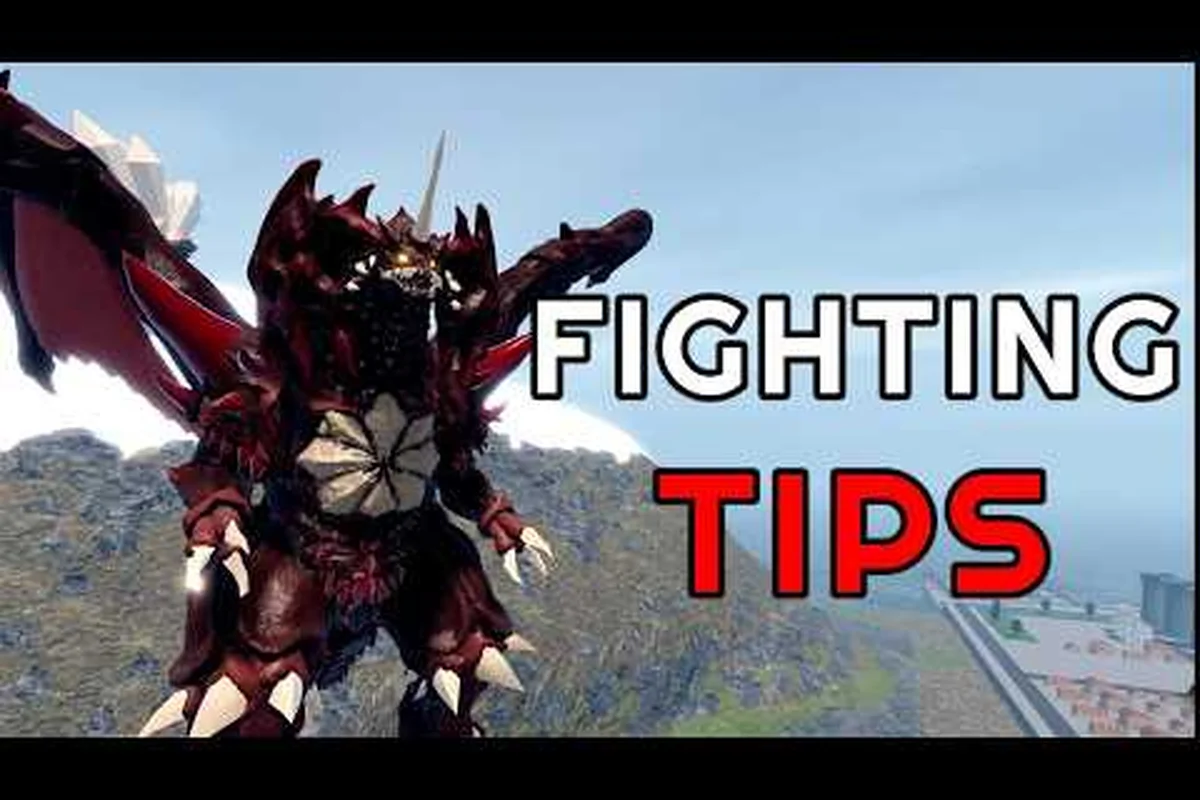
For advanced timing and technique, watching a full demonstration can help clarify the exact block window, as shown in Kaiju Alpha blocking tutorial on YouTube.
The Scout, Hold, Punish Loop
Start every duel by backing off for two seconds and watching the enemy kaiju's skill bar. Free kaiju and starter kaiju tend to favor the same two or three skills, so once you have seen the bar light up a few times you can predict roughly 70 percent of incoming attacks according to community testing. Hold block during the wind-up, then release and punish with your fastest skill during recovery.
| Loop Step | Duration | Action | Common Mistake |
|---|---|---|---|
| Scout | 2-3 seconds | Observe enemy skill bar and last used ability | Skipping this and rushing in |
| Hold | 0.5-1 second | Block the predicted wind-up | Blocking too late or during recovery |
| Punish | 1-2 seconds | Use your fastest skill into the recovery | Whiffing into their next wind-up |
Matchups Against Faster and Tankier Kaiju
Not every kaiju fights the same way. A fast glass-cannon kaiju will chain two light skills into a dash, while a tank will slowly walk at you and try to land one massive hit. Against fast kaiju, your block has to be earlier because their wind-up is shorter, and your punish has to be ready instantly because their recovery is also short. Against tanks, you can hold block longer, bait out the big hit, and then unload your full skill rotation during the long recovery window.
| Enemy Archetype | Block Timing | Punish Strategy | Skill Priority |
|---|---|---|---|
| Glass cannon | Earlier, tighter window | Single fast skill then reset | Burst damage |
| Balanced | Standard window | 2-3 skill combo | Rotation |
| Tank | Late block, hold longer | Full combo into ultimate | Sustained pressure |
| Ranged spam | Block projectiles, dodge bursts | Close gap, punish cast time | Mobility skill first |
Kaiju Alpha How to Use Skills Alongside Your Block
Blocking is half the fight; your skill bar is the other half. Kaiju Alpha gives every kaiju five skills plus two roars, and the way you weave them with your defensive reads is what defines your combat identity. New players who only ever use two skills will plateau fast, because veteran kaiju will simply read your bar and bait out your one trick.
The Five-Skill Rotation Pattern
The kaiju alpha how to use skills mindset is to split your bar into three roles: opener, combo filler, and finisher. Your opener is a fast skill that you lead with to confirm a hit; your combo fillers are two or three mid-range abilities that you chain into the opener; your finisher is a heavy skill or ultimate that you save for the kill. According to the in-game tooltip system confirmed by community testing, every kaiju has at least one skill in each of these roles, so rotate through all five rather than spamming the same two.
| Skill Slot | Role | When to Use | Pairs Best With |
|---|---|---|---|
| Slot 1 | Opener | First confirmed hit | Block recovery read |
| Slot 2 | Combo filler | Mid-combo chain | Slot 1 opener |
| Slot 3 | Combo filler | After slot 2 lands | Slot 2 chain |
| Slot 4 | Heavy skill | Punish tank recovery | Block hold |
| Slot 5 | Ultimate | Kill confirm or zone | Roar setup |
Pairing Roars With Your Defensive Game
Your two roar abilities are not just damage buttons. The first roar, which has a stronger stagger, is best saved for when two or three enemies close in at once, because it gives your team a moment to breathe and your block stamina a moment to refill. The second roar, which has a medium stagger, works as a mid-fight pressure reset when you need to break a losing trade. Pairing roar two with a block hold is the single strongest defensive combo in the game for free kaiju, and it costs no Cells to learn because it is baked into every kaiju's base kit.
| Roar Slot | Best Moment | Synergy | When to Avoid |
|---|---|---|---|
| Roar 1 | Surrounded or outnumbered | Block stamina refill + team breathing room | When alone with no backup |
| Roar 2 | Mid-fight losing trade | Block hold + stagger break | When enemy is far away |
Kaiju Alpha How to Play With Friends in Co-op Defense
Going solo in a city full of hostile kaiju is rough, but Kaiju Alpha actually has a few co-op friendly features that make kaiju alpha how to play with friends a real strategy rather than just a fun option. Private servers, squad queueing, and the limited time co-op mode all change how your defensive reads should work, because you now have allies who can punish while you hold block. When you start building around that teammate dependency, stacking up a bulky frontline like the ones covered in our Kaiju Alpha How To Get Strong guide lets you absorb the pressure that would normally break a solo defensive line, turning coordinated play into a real strategy rather than just a fun option.
Squad Roles for Co-op Fights
When you queue with a squad, the cleanest role split is one tank, two damage dealers, and one roamer. The tank holds block and draws aggro, the damage dealers punish during the tank's block windows, and the roamer picks off low-health kaiju who try to flee. According to community testing on Update 49, this four-role split has the highest win rate in the Tournament Battle elimination mode, because it lets every player specialize in one phase of the scout-hold-punish loop instead of everyone trying to do everything at once.
| Role | Defensive Job | Offensive Job | Best Kaiju Archetype |
|---|---|---|---|
| Tank | Hold block, draw aggro, soak ultimates | Light punishes into recovery | Tank kaiju |
| Damage 1 | Punish on tank's block read | Full combo rotation | Balanced kaiju |
| Damage 2 | Punish on tank's block read | Burst opener | Glass cannon |
| Roamer | Pick off fleeing low HP | Cleanup + revive | Fast kaiju |
Co-op Only Modes and How Defense Changes
The co-op mode added in Update 49 lets you and up to three friends take on a private server with shared objectives, and the defensive game shifts because the enemy kaiju are AI-controlled and use predictable rotation patterns. In this mode, block timing is easier to read because AI kaiju always lead with their heaviest skill, which means you hold block on the first wind-up and punish the guaranteed recovery every single time. Private servers are also a great place for new players to practice the block window in low-pressure 1v1s before queuing into the live arena.
| Co-op Mode | Defense Tip | Best Practice |
|---|---|---|
| Private server 1v1 | Practice block windows on a friend | Set up block timing drills |
| Co-op objective mode | Hold block on first AI skill | Save ultimate for second wave |
| Squad queue Tournament | Tank holds, DPS punishes | Communicate role in chat |
| Limited time event | Block varies by mode rules | Read patch notes before queuing |
Kaiju Alpha Best Settings to Enable Before You Queue
Your in-game settings decide whether your block inputs actually register, and a lot of new players are losing fights because their setup is working against them. The kaiju alpha best settings checklist below covers the controls, graphics, and audio tweaks that give you the cleanest defensive reads possible on PC, mobile, and console.
Controls and Input Settings
The most important setting is your block keybind, which you should map to a comfortable button that does not overlap with your movement keys. Community data suggests that players who rebind block to mouse side button or a shoulder button have noticeably higher block success rates, because they can hold it without lifting their thumb off the movement stick. If you play on mobile, enable the larger block button option in the accessibility menu, because the default size is small enough that misclicks during panic moments are common.
| Setting | Recommended Value | Why It Helps |
|---|---|---|
| Block keybind | Mouse side or shoulder button | Keeps movement free |
| Dodge keybind | Space or shift | Fast i-frame access |
| Camera sensitivity | Medium-high | Track fast kaiju hands |
| Mobile block button size | Large | Fewer panic misclicks |
| Auto-camera on hit | Off | Manual control during punishes |
Graphics and Audio Settings for Better Reads
Graphics and audio both feed into your defensive reads, so tune them for clarity rather than flash. Turn off motion blur, because the screen shake on heavy hits is already heavy and extra blur makes wind-up animations harder to see. Lower your particle effects if you play on a lower-end device, because skill explosions can fully obscure an incoming enemy swing. For audio, keep sound effects at high volume and music low, because the audio cue for an enemy's charged ultimate is one of the few early warnings you will get.
| Setting | Recommended Value | Defensive Benefit |
|---|---|---|
| Motion blur | Off | See wind-up animations clearly |
| Particle effects | Low to medium | Do not lose sight of enemies |
| Sound effects | High | Hear ultimate charge audio cues |
| Music volume | Low | Prioritize combat audio |
| Screen shake | Low to off | Keep camera steady during blocks |
Frequently Asked Questions
What is the easiest way to learn kaiju alpha how to block?
The fastest way is to queue into a private server with a friend and trade block drills for ten minutes. Have one player only attack, the other only block, and reset every time the block fails. According to community testing, most players lock in the block window within three to five private server rounds because the wind-up timings are consistent enough to memorize by feel.
Which free kaiju is best for learning defense?
The starter kaiju you spawn with is actually the best teacher because its skill bar is the simplest in the game, with only one fast opener and one heavy finisher. This means you spend fewer mental cycles tracking skill rotations and more cycles on block timing. Once you can consistently block a level 50 player using the starter kaiju, you are ready to switch to a more complex kaiju and start working on Limit Break progression toward level 200.
Does kaiju alpha best beginner strategy change when playing with friends?
The core scout-hold-punish loop stays the same, but the roles split. In solo play you scout, hold, and punish all on your own. In squad play, one player scouts while another holds block, and the third punishes during the block window. This is why kaiju alpha how to play with friends is easier to learn after you have solo block timing down, because you can offload the scout step to a teammate and focus purely on holding and punishing.
What kaiju alpha best settings should I change first as a new player?
The two highest-impact settings are your block keybind and your motion blur toggle. Remap block to a button that does not conflict with movement so you can hold it without losing mobility, and turn off motion blur so the wind-up animations stay readable. These two changes alone will raise your block success rate noticeably within a single match, and they cost nothing to apply.
Can I use kaiju alpha how to use skills tips without leveling to 200 first?
Yes, every kaiju unlocks all five skills plus both roars at level 1, so the skill bar is full from your first match. What changes as you level toward the 200 cap is damage numbers and the Limit Break bonus, not which skills you have access to. This means you can practice the full skill rotation pattern right away on a free kaiju, which is one of the easiest ways to climb the cell leaderboard without spending Robux on a game-pass kaiju.